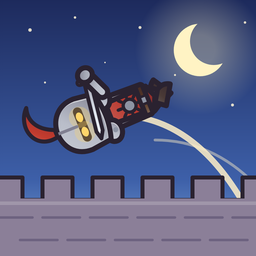
 Knight Toss
Two players on the same iPhone
Published October 29, 2026 · Kezify
Knight Toss has a two-player duel on a single iPhone or iPad: Red defends the left castle, Blue the right one, and each player grabs the knights attacking them and sends them back to the other side. The first gate to fall loses. The same duel works online with Game Center, or solo against Sir Bertrand, the training bot. Free, no ads, no purchases.
How does a duel work?
The screen is split between two castles. Knights come from both sides; each player grabs the ones threatening their gate and throws them toward the other camp. A well-thrown knight deals damage when he lands on the other side. The moves are the same as in the campaign: how to play Knight Toss.
How do two people play on one device?
Pick Duel in the modes menu, then two players. Lay the iPhone, or better an iPad, flat between you: each plays on their side of the screen with one finger. No internet needed.
And online?
Sign in to Game Center (Settings > Game Center), then Duel > Quick match: the game looks for an opponent at your glory level, then widens the search. You can also invite a friend. If nobody is online, Sir Bertrand steps in.
A tip to win?
Don't send everything back at once: a dizzy knight thrown high lands harder on the other side. And keep an eye on your own gate while you aim.
Try the throw
Knight Toss is free on iPhone and iPad, with no ads and no in-app purchases. The demo plays in your browser.
FAQ
Do we need two phones?
No: the duel is played by two on a single iPhone or iPad.
Does the duel cost anything?
No, it is included for free, with no ads.
Can I play against the computer?
Yes, against Sir Bertrand, the training bot.
Do we need internet to play together?
Not on one device. Online play uses Game Center.